Government & school orders welcome · purchase orders supported
EZ Dupe, Inc.
Products+
SOHO Touch SeriesEmbedded USB (eUSB) DuplicatorCompactFlash (CF) DuplicatorSATA HDD/ SSD DuplicatorNVMe SSD DuplicatorUSB Drive DuplicatorSD/Micro SD Card DuplicatorCF/CFast Card DuplicatorMultimedia DuplicatorDisc DuplicatorFlash Media DuplicatorView all products
Solutions+
Data CopyData ErasureQuality Check
Usage+
Usage & TestimonialsLarge-scale ProductionDevice QualityEntry-level Model
Support+
FAQsManuals DownloadWhere to BuyWarranty Policy and RegistrationReturn PolicyAbout DuplicatorDifference Between Duplicator and Docking Station
About Us+
About EZ DupeOur TechnologyNewsShows and EventsCareer OpportunitiesContact UsGovernment and School Orders
Find your systemContact sales
Solution

Data Erasure

With the constant development of information security, data erasure is a key component in information security.

Data Erasure

How to completely erase data on the hard drive

Regardless if hard drives are disposed or recycled, sensitive data have the risk of being compromised. As a result, completely erasing data from hard drives has become an important component in information security.

The most common method of erasing data is to use a data removal software, which has the disadvantage of slow speeds when erasing data on multiple hard drives.

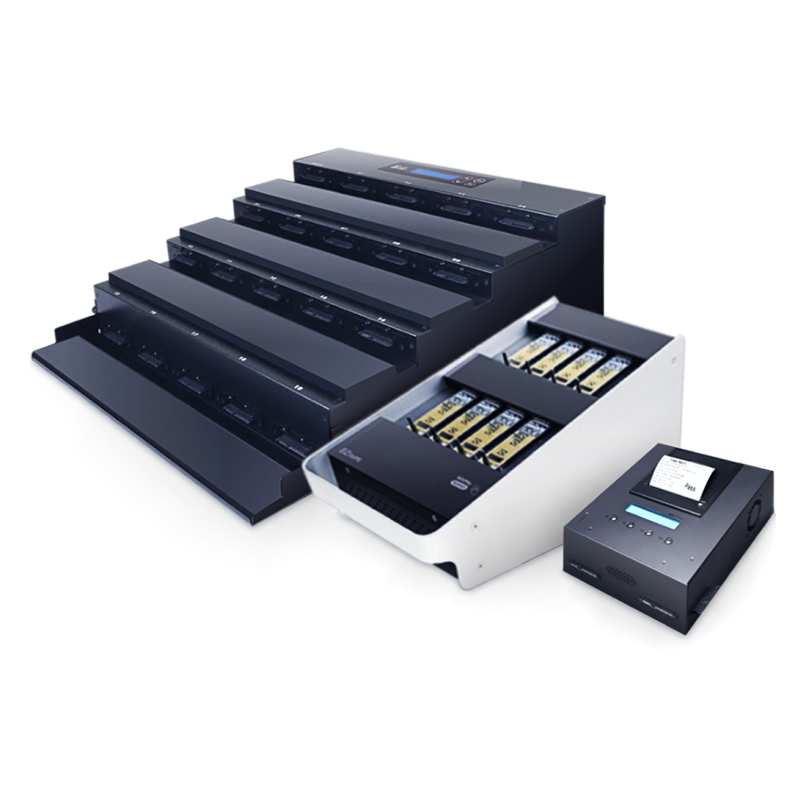
EZ Dupe provides multiple erasure functions for various types of storage devices, allowing you to choose the erasure method that suits your security protection needs.

Erase modes

EZ Dupe Duplicator provides the following data erasure functions

Quick Erase
01

Quick Erase

Quick erase deletes only the table of content of the storage device, similar to a hard drive quick format, and has the fastest erasing speed. However, only the index of the directory address is deleted and the computer is unable to index the file, meaning that the file is still actually on the hard drive. The file’s data can therefore be easily restored unless it is overwritten by a new file at the same address.
Full Erase
02

Full Erase

The data on the storage device is completely erased and replaced by the null characters 0x00.

Because Full Erase requires writing an entire hard disk, the process time is longer than Quick Erase. For example, Full Erase on a 500G SSD with a SATA3.0 hard drive duplicator can take up to 20 minutes.
3-Pass DoDs Erase
03

3-Pass DoDs Erase

Meet the U.S. Department of Defense data erasure standard 5220.22-M
EZ Dupe’s duplicators are compliant with U.S. Department of Defense disk wipe standard 5220.22-M and completely erases data three times by writing 0x00, then 0xFF, and then finally a random number in the contents of the target disk. After the hard drive is erased, even data retrieval software have difficulty restoring the data. This erase function works well with traditional hard drives.
7-Pass DoDs Erase
04

7-Pass DoDs Erase

Meet the U.S. Department of Defense data erasure standard 5220.22-M
EZ Dupe’s duplicators are compliant with the U.S. Department of Defense disk wipe standard 5220.22-M and completely erases data seven times by writing 0x00, 0xFF, 0x96, 0x00, 0xFF, 0x96, and then finally a random number in the contents of the target disk. The 7-Pass DoDs Erase is used in even military operations and works well even with traditional hard drives.
Secure Erasure
05

Secure Erasure

Secure Erase is a function designed for SSDs and can completely erase data within a few seconds. Secure Erase is compliant with the NIST 800-88 Guidelines for Media Sanitization. It is one of the ATA command sets used to safely erase data on the hard drive by overwriting with “0” – similar to a Full Erase. Secure Erase completely resets the data in the hard drive with “0”, including all the data areas HPA and DCO. After the SSD has been erased, it may even solve the issue of a slow speed in a SSD.
Enhanced secure erase
06

Enhanced secure erase

Enhanced Secure Erase uses the SSD’s build-in command for erasing data.

According to various hard drive manufacturer’s designs, there will be additional executions. For example, it destroys the encryption key of the SSD to prevent the data from being decoded. This function is often used when the SSD has hidden or encrypted sectors.
Shop by category

Come visit our duplicators!

All systems

Need a configuration confirmed? Our team can match the model to your media and target count.

Talk to sales